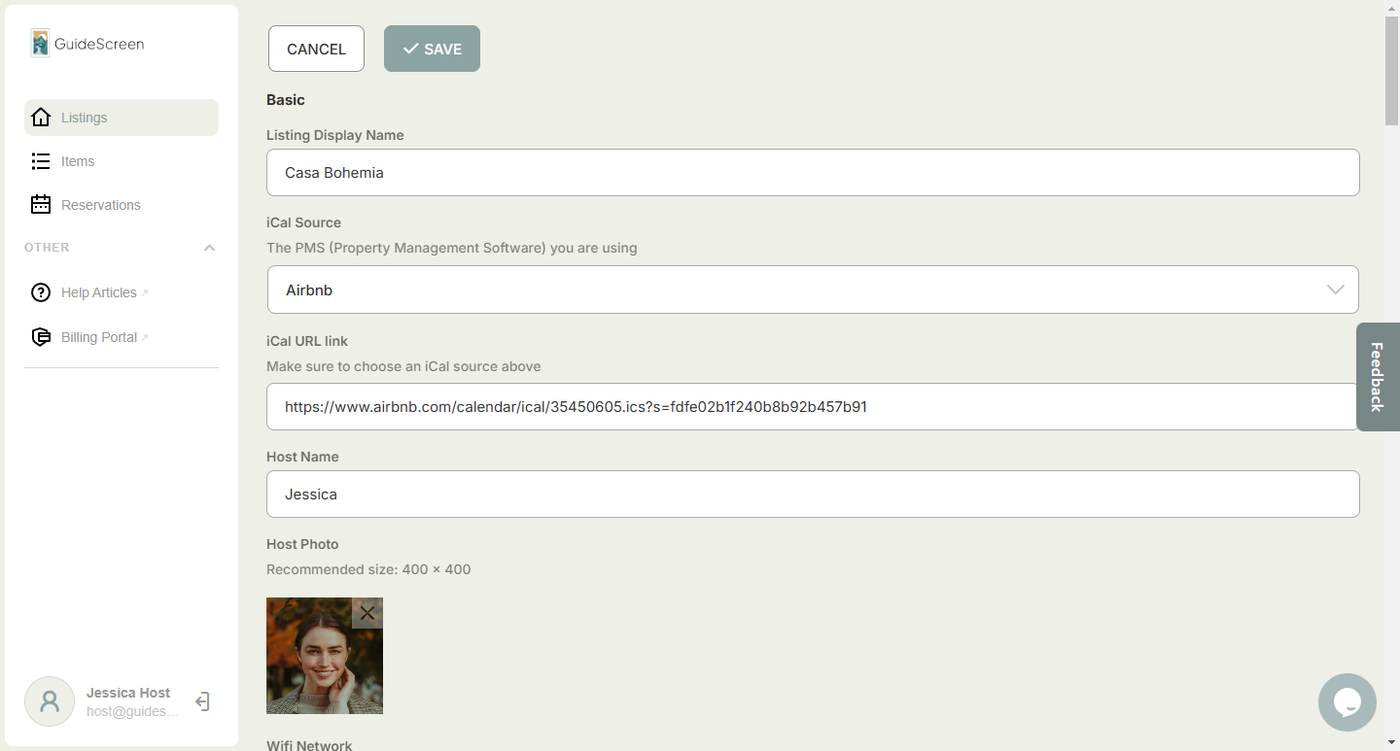
The GuideScreen Listings area is where you can add and edit most of the details that show up on your device's screen.
To get started:
1. Click on "Listings" on the sidebar menu.
2. Select the property that you want to edit.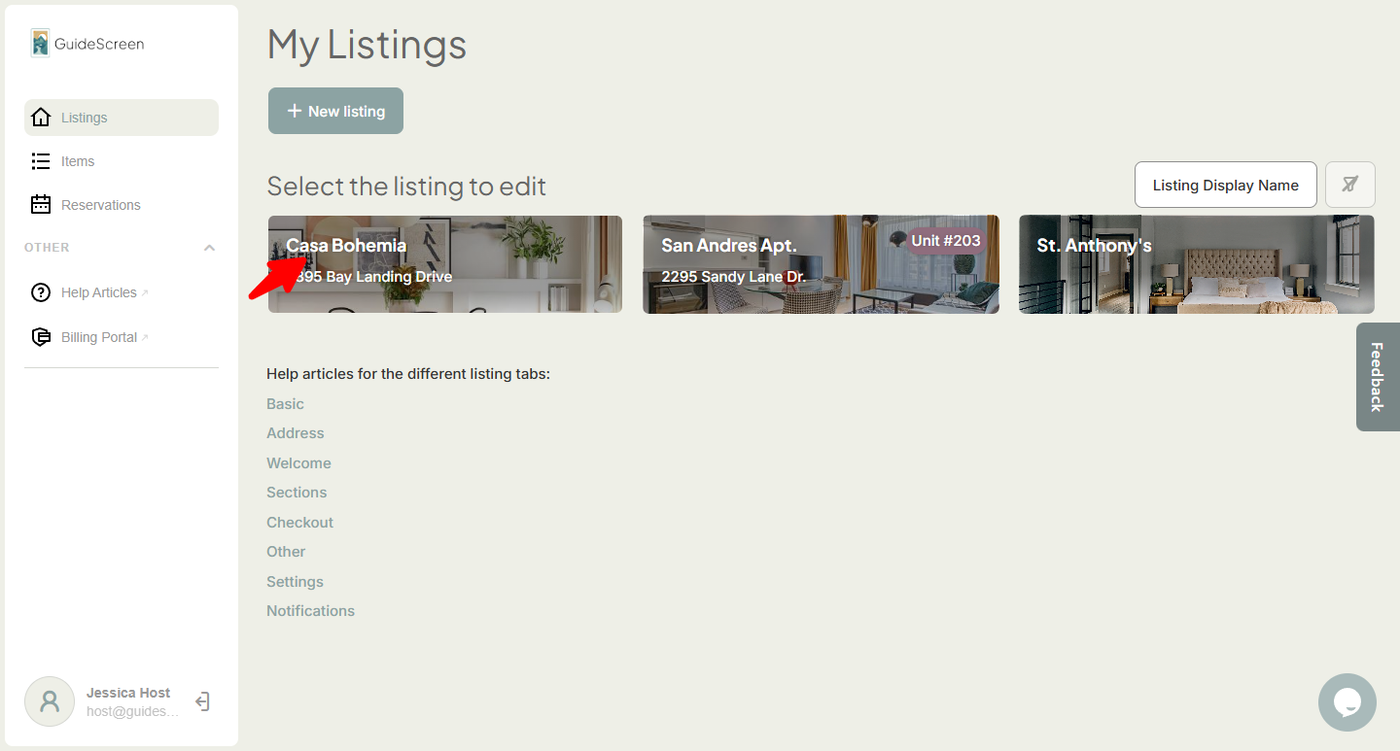
3. After clicking, a screen would appear where you can edit property details.